

 Lets Talk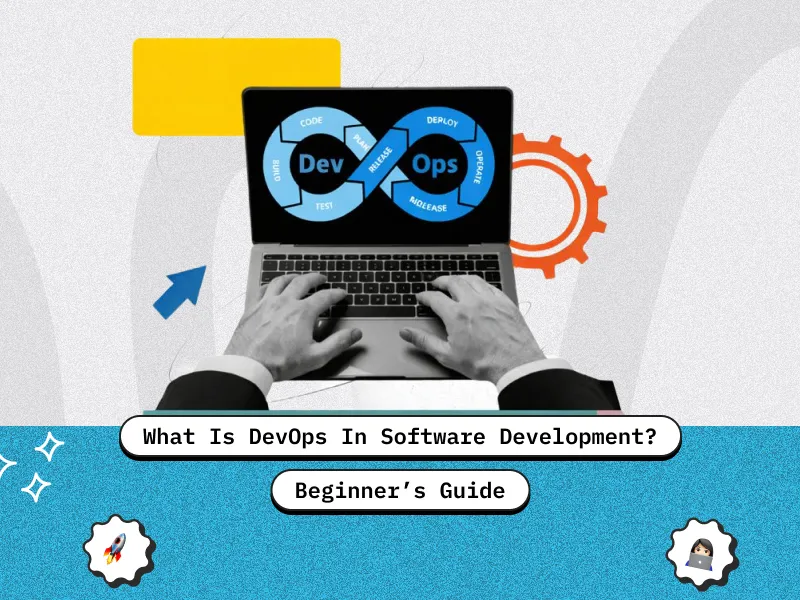
TL;DR
- DevOps is a culture, workflow, and set of practices that connects development and operations teams.
- It helps businesses build, test, deploy, and monitor software faster with fewer production risks.
- DevOps turns the traditional Software Development Life Cycle into a continuous delivery loop.
- CI/CD, Infrastructure as Code, automated testing, monitoring, and feedback loops are core DevOps practices.
- Startups and growing businesses should adopt DevOps when releases become slow, manual, risky, or difficult to scale.
Introduction
Modern businesses cannot afford slow releases, unstable applications, or repeated production failures. Whether you are building a SaaS platform, mobile app, marketplace, or enterprise web application, your users expect fast updates, smooth performance, and minimal downtime.
That is where DevOps becomes important.
In simple terms, DevOps helps software teams move from manual, disconnected delivery to a more automated and collaborative workflow. It connects planning, development, testing, deployment, operations, monitoring, and feedback into one continuous process.
For startups, DevOps improves speed. For growing companies, it improves reliability. For enterprise teams, it creates a scalable delivery system that supports frequent releases without increasing operational risk.
If your team wants to release faster, reduce downtime, and improve software delivery maturity, working with an experienced DevOps consulting services partner can help you build the right foundation from the start.
What is DevOps in Software Development?
DevOps is a software delivery approach where development and operations teams work together throughout the complete application lifecycle.
Traditionally, developers wrote code and passed it to operations teams for deployment and maintenance. This handoff-based approach often created delays, miscommunication, environment issues, and production failures.
DevOps removes these barriers by creating shared responsibility across the entire workflow. Developers, QA engineers, DevOps engineers, security teams, and operations teams work toward one goal: delivering stable, high-quality software faster.
DevOps is not just a tool or job title, and it is also different from a traditional developer-only role. If you want to understand that distinction in detail, here is a useful comparison of DevOps vs developer. It is a combination of:
- Culture
- Automation
- Collaboration
- Continuous testing
- Continuous delivery
- Monitoring
- Feedback-driven improvement
When implemented correctly, DevOps makes software delivery more predictable, repeatable, and scalable.
The CALMS Framework in DevOps
The DevOps mindset is often explained through the CALMS framework.
| CALMS Element | What It Means |
| Culture | Teams share ownership, responsibility, and accountability |
| Automation | Manual work is reduced through scripts, pipelines, and tools |
| Lean | Waste, delays, and unnecessary handoffs are removed |
| Measurement | Teams track delivery speed, system health, and failures |
| Sharing | Knowledge, feedback, and learnings are shared openly |
This framework shows that DevOps is not only about tools like Jenkins, Docker, Kubernetes, or GitHub Actions. Tools support DevOps, but the real value comes from better workflows and shared responsibility.
What DevOps Is Not
Many businesses misunderstand DevOps and treat it as a tool-buying exercise. That usually leads to poor implementation.
DevOps is not just buying tools. Adding Jenkins, Docker, Kubernetes, or Terraform will not fix broken communication or unclear ownership.
DevOps is not only for large companies. Small teams and startups often benefit quickly because automation helps them release faster without adding a large operations team.
DevOps is not only an engineering trend. It directly affects business outcomes such as speed-to-market, uptime, customer trust, and product scalability.
Why DevOps Matters in Modern Web Development
Software is now a business growth engine. Your website, application, customer portal, SaaS product, or internal platform may directly influence revenue, retention, and customer experience.
Customers Expect Faster Updates
Users expect products to improve continuously. They want new features, faster bug fixes, and better experiences without waiting months for major releases.
DevOps helps teams ship smaller updates more frequently. This reduces release pressure and allows teams to respond faster to user feedback.
Downtime Affects Revenue
If your web app, SaaS platform, or digital product goes down, the impact is immediate. You may lose sales, leads, user trust, and support bandwidth.
DevOps reduces downtime through better deployment practices, monitoring, rollback strategies, and incident response workflows.
Manual Deployment Creates Risk
Manual releases often depend on checklists, human memory, late-night coordination, and last-minute fixes. This increases the chance of mistakes.
DevOps replaces manual deployment steps with automated pipelines, reducing human error and improving release consistency.
DevOps vs Agile vs DevSecOps vs Traditional SDLC
| Approach | Main Focus | Key Difference |
| Traditional SDLC | Linear software delivery | Teams work in separate stages with handoffs |
| Agile | Iterative software development | Teams build in short cycles with user feedback |
| DevOps | Continuous delivery and operations | Development and operations work together |
| DevSecOps | Secure software delivery | Security is built into the DevOps pipeline |
Agile improves how software is planned and developed. DevOps extends that improvement into testing, deployment, operations, and monitoring. You can also explore this detailed comparison of Agile vs DevOps to understand where both approaches overlap and differ.
DevSecOps takes DevOps one step further by adding security checks directly into the CI/CD pipeline. For teams evaluating both models, this guide on DevSecOps vs DevOps explains which approach fits different business needs.
The DevOps SDLC Explained
The DevOps Software Development Life Cycle is not a straight line. It is a continuous loop where teams plan, build, release, monitor, learn, and improve.
Let’s understand it with a food delivery app example.
Plan
The team decides what feature to build.
Example: Users want live delivery tracking inside the app.
Analyze and Design
The team plans architecture, APIs, user flow, testing scenarios, and possible failure cases.
Example: What should happen if the driver’s GPS stops working?
Code
Developers write the feature using version control, branching strategies, and practices like trunk-based development in DevOps to reduce merge conflicts and improve delivery speed.
Example: The delivery map feature is coded behind a feature flag.
Build
A CI tool automatically builds the application when new code is pushed.
Example: GitHub Actions or Jenkins checks whether the app builds successfully.
Test
Automated tests run to catch bugs early.
Example: The system verifies that live tracking does not break checkout or order history.
Release and Deploy
The tested feature is released safely.
Example: A canary release allows only 5 percent of users to access the new feature first.
Operate
The live application is managed for stability and performance.
Example: The team performs a rolling update without taking the app offline.
Monitor
The team tracks application health, errors, speed, and usage.
Example: Prometheus detects that the order history page is loading slowly.
Feedback
The team uses production data and user feedback to improve the product.
Example: Users report that the map is lagging, so the team improves real-time location updates in the next sprint.

The 7 Cs of DevOps
| 7 Cs of DevOps | Meaning | SDLC Stage |
| Continuous Development | Build in small, frequent batches | Plan, Analyze, Code |
| Continuous Integration | Merge and validate code regularly | Build |
| Continuous Testing | Run automated tests on code changes | Test |
| Continuous Delivery | Keep code ready for release | Release |
| Continuous Deployment | Push approved changes to production | Deploy |
| Continuous Monitoring | Track production health | Monitor |
| Continuous Feedback | Use insights to improve future work | Feedback |
The 7 Cs help teams move away from large, risky releases and toward smaller, safer, more frequent updates.
Core DevOps Practices
CI/CD Pipelines
CI/CD stands for Continuous Integration and Continuous Delivery or Deployment. It helps developers merge, test, and release code automatically.
A strong CI/CD pipeline reduces manual effort, improves release speed, and catches bugs before they reach production. It can also directly accelerate time-to-market with DevOps CI/CD when implemented correctly.
Infrastructure as Code
Infrastructure as Code, or IaC, allows teams to manage servers, environments, databases, and cloud resources using code.
Instead of manually creating environments, teams can use tools like Terraform, Ansible, or CloudFormation to create repeatable infrastructure. For growing teams, Infrastructure as Code acts like business insurance because it reduces environment drift and recovery risk.
Automated Testing
Automated testing ensures that new code does not break existing features. It improves confidence during deployment and reduces production issues.
Monitoring and Logging
Monitoring tools track application performance, uptime, errors, and user behavior. This is closely connected to observability in DevOps, which helps teams understand why systems behave a certain way in production. Logging helps teams investigate issues faster.
Together, monitoring and logging reduce Mean Time to Recovery and improve system reliability.
At Creole Studios, we have applied these same DevOps principles in real engineering environments. In one automated infrastructure and self-healing CI/CD pipeline case study, our team focused on building a delivery workflow where infrastructure automation, pipeline monitoring, deployment validation, and recovery logic worked together to reduce manual intervention and make releases more dependable. This shows why DevOps is not just about setting up tools, but about creating a stable delivery system that can detect issues early, recover faster, and support continuous product improvement.
Common DevOps Tools
| DevOps Stage | Common Tools |
| Planning | Jira, Trello, Asana |
| Code Management | Git, GitHub, GitLab, Bitbucket |
| CI/CD | Jenkins, GitHub Actions, GitLab CI/CD, CircleCI |
| Testing | Selenium, JUnit, Postman, SonarQube |
| Containers | Docker, Kubernetes |
| Deployment | ArgoCD, Helm, Kubernetes |
| Infrastructure as Code | Terraform, Ansible, CloudFormation |
| Monitoring | Prometheus, Grafana, Datadog, ELK Stack |
No single tool completes DevOps. The right stack depends on your product, team size, cloud setup, compliance needs, and release workflow. Startups can also compare some of the best DevOps platforms for startups before choosing their toolchain.
How Modern DevOps Teams Combine AI, Docker, and CI/CD
DevOps is not a fixed set of tools. As products, engineering teams, and infrastructure requirements grow, businesses need to modernize how software moves from development to production.
Three capabilities play an important role in this shift: CI/CD automation, standardized container pipelines, and AI-assisted DevOps workflows. Each solves a different delivery challenge, but they create the most value when implemented as part of one connected operating model.
CI/CD Automation Creates a Repeatable Release Process
CI/CD is the foundation of a modern DevOps workflow. It helps teams automatically build, test, validate, and prepare code for release whenever developers make changes.
This reduces dependency on manual deployment steps, improves release consistency, and helps teams ship smaller updates more frequently. For startups and growing product teams, a structured DevOps CI/CD pipeline for faster time-to-market can turn stressful release days into a predictable software delivery process.
Docker Standardizes Environments Across the Pipeline
CI/CD automation becomes more reliable when applications behave consistently across development, staging, and production environments.
Docker helps solve this challenge by packaging an application with its dependencies and configuration into a portable container. However, using Docker alone is not enough. Scaling teams need standardized Dockerfiles, CI-built images, clear versioning, rollback-ready artifacts, orchestration, monitoring, and security checks.
A structured approach to standardized Docker container pipelines for scaling teams helps reduce environment drift and makes deployments easier to reproduce, manage, and scale.
AI Adds Intelligence to DevOps Workflows
Once the delivery foundation is stable, AI can help teams reduce operational friction and make faster decisions.
AI-assisted DevOps workflows can identify configuration gaps, summarize incidents, detect unusual system behavior, flag risky pipeline changes, prioritize tests, and support faster root-cause analysis. These capabilities help developers spend less time investigating repetitive issues and more time improving the product.
However, AI should improve engineering judgment, not replace it. Teams should introduce it gradually, measure its impact, and keep human oversight for production-critical decisions. This guide on how AI is transforming DevOps and developer workflows explains where AI creates practical value and where guardrails are still required.
Together, CI/CD, Docker, and AI help businesses build a more reliable delivery system. CI/CD automates the release flow, Docker standardizes the runtime environment, and AI improves visibility and decision-making. Teams evaluating these capabilities can use DevOps consulting services to prioritize improvements based on their current delivery bottlenecks and growth stage.
When these capabilities work together, DevOps improvements translate into measurable business outcomes such as faster releases, lower operational risk, and improved engineering productivity.
Business Benefits of DevOps
Faster Time-to-Market
DevOps helps teams release features faster by automating build, test, and deployment workflows. This allows businesses to validate ideas quickly and respond to market demand.
Lower Operational Risk
Automated testing, staging environments, rollbacks, and release controls reduce the risk of production failures. For uptime-focused teams, site reliability engineering can further improve incident response and production stability.
Better Customer Retention
Reliable applications create trust. Fast bug fixes, stable performance, and fewer outages improve customer experience and retention.
Improved Engineering Productivity
Developers spend less time fixing deployment issues and more time building meaningful product improvements.
Stronger Investor Confidence
For startups, predictable release cycles and stable infrastructure show operational maturity. This can be important during fundraising, enterprise sales, or technical due diligence.
DevOps Metrics Every Team Should Track
| Metric | What It Measures |
| Deployment Frequency | How often your team releases to production |
| Lead Time for Changes | Time taken from code completion to user availability |
| Mean Time to Recovery | How quickly your team restores service after failure |
| Change Failure Rate | Percentage of releases that cause production issues |
These are often known as DORA metrics. They help founders, CTOs, and engineering leaders measure DevOps maturity without getting lost in tool-level complexity. You can also use a DevOps maturity model to assess where your team currently stands.
Common DevOps Challenges
Tool Overload
Many teams start by adding too many tools too early. This creates complexity instead of solving delivery problems.
The better approach is to identify the biggest workflow bottleneck first, then choose tools that solve that specific problem.
Poor Collaboration
DevOps fails when teams continue working in silos. Developers, QA, security, and operations must share responsibility for release quality.
Flaky Automated Tests
If tests fail randomly, teams stop trusting them. This weakens the pipeline and allows real issues to slip through.
Large Release Batches
Big releases are harder to test, debug, and roll back. DevOps encourages smaller releases so teams can isolate problems quickly and follow DevOps best practices for small teams to reduce bugs and downtime.
When Should a Business Adopt DevOps?
You may not need a complex DevOps setup on day one. However, you should consider DevOps when:
- Your releases are slow or stressful
- Your team depends on manual deployments
- Production issues are increasing
- Your product has real user traffic
- Your team is preparing to scale
- You are moving to the cloud
- Your application uptime directly affects revenue
For startups, DevOps usually becomes important after MVP validation. For growing businesses, it becomes necessary when the team, product, and infrastructure start becoming harder to manage manually.
If you already have developers but need stronger delivery, automation, and cloud infrastructure support, you can also hire a DevOps engineer to improve your software delivery workflow.
How to Start With DevOps
Improve Team Collaboration
Start by aligning developers, QA, operations, and business stakeholders around shared delivery goals.
Automate One Workflow First
Do not try to automate everything at once. Start with automated testing, deployment scripts, or CI/CD setup.
Track Baseline Metrics
Measure deployment frequency, recovery time, and failure rate before making changes. This helps you prove whether DevOps improvements are working.
Build Gradually
Once your first pipeline is stable, expand DevOps practices into monitoring, infrastructure automation, security checks, and incident management. A structured DevOps implementation roadmap can help teams adopt these practices step by step.
Future of DevOps
DevOps is evolving from a delivery practice into a broader operating model for modern software teams.
AI-assisted automation is helping teams analyze logs, detect anomalies, summarize incidents, and recommend fixes faster. This shift is already visible in how AI is transforming DevOps.
Platform engineering is also becoming more common. Larger teams are building internal developer platforms that allow developers to deploy, monitor, and manage services without waiting for operations teams. This guide on platform engineering vs DevOps explains when each model makes sense.
The future of DevOps will focus on faster delivery, stronger automation, lower cognitive load, and more reliable software systems.
Conclusion
DevOps is no longer just an engineering practice. It is a business-critical approach for building, releasing, and scaling reliable software.
For startups, DevOps helps reduce release delays and improve speed-to-market. For growing companies, it creates structure, stability, and automation. For enterprise teams, it supports predictable delivery at scale.
The right DevOps setup does not mean using every tool available. It means creating the right workflow, automating the right steps, measuring the right metrics, and improving continuously.
If your team wants faster releases, fewer production issues, and stronger cloud infrastructure support, you can hire a DevOps engineer to improve your software delivery workflow and build a more scalable development process.
Book a 30 minute free consultation to discuss how DevOps can improve your software delivery workflow.
FAQs
What does DevOps mean in simple terms?
DevOps means development and operations teams work together using automation, collaboration, and shared responsibility to build, test, release, and monitor software faster.
How is DevOps different from traditional software development?
Traditional software development follows handoffs between separate teams. DevOps creates a continuous workflow where teams collaborate from planning to production monitoring.
Do startups need DevOps?
Yes, startups can benefit from DevOps once they have real users, frequent releases, or growing infrastructure needs. It helps them release faster and avoid costly production issues.
Is DevOps only about CI/CD?
No. CI/CD is an important part of DevOps, but DevOps also includes culture, monitoring, Infrastructure as Code, automated testing, security, and feedback loops.
What is the DevOps lifecycle?
The DevOps lifecycle includes planning, coding, building, testing, releasing, deploying, operating, monitoring, and collecting feedback.
What are the most important DevOps metrics?
The most important DevOps metrics are deployment frequency, lead time for changes, Mean Time to Recovery, and change failure rate.


 9 min read


