

 Lets Talk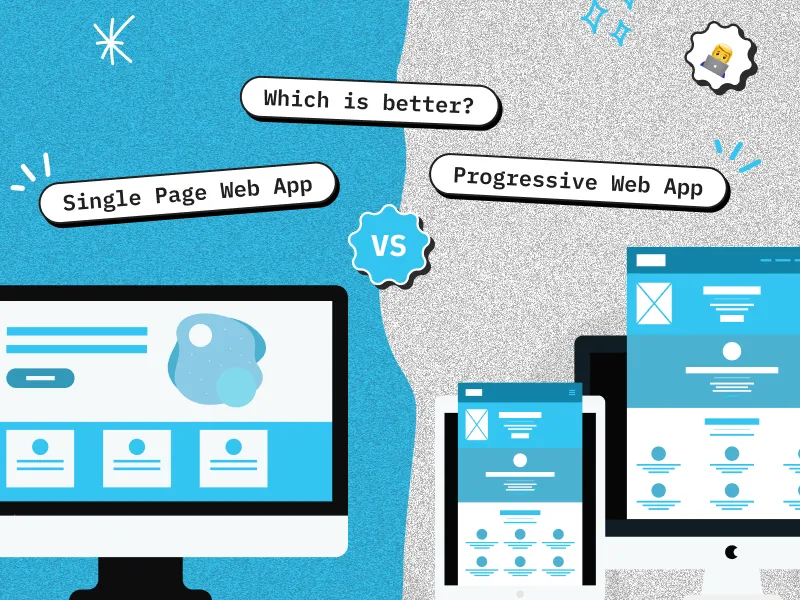
A Progressive Web App (PWA) and a Single Page Application (SPA) solve different problems. A PWA adds installability, offline behavior, caching, and selected device capabilities to a web app. An SPA is an application architecture that updates one web document dynamically. You do not always need to choose one because a web app can be both an SPA and a PWA.
TL;DR
- Choose PWA capabilities when users need installation, offline access, reliable performance on weak networks, push notifications, or an app-like launch experience.
- Choose an SPA architecture when the product needs fast in-app navigation, complex client-side state, and highly interactive workflows.
- PWA and SPA are not opposites. A PWA can use SPA, multi-page application, server-rendered, or hybrid architecture.
- Neither approach guarantees speed, SEO, security, or lower cost. Results depend on rendering, caching, accessibility, testing, and update design.
- For many SaaS dashboards, marketplaces, and customer portals, the practical answer is an SPA or hybrid app with only the PWA capabilities that users genuinely need.
What Is the Difference Between PWA and SPA?
The main difference is scope. PWA describes a set of web app capabilities and quality goals. SPA describes how a web app loads documents, renders views, and handles navigation.
A PWA may include a web app manifest, service worker, caching strategy, offline fallback, installation experience, and supported platform integrations. An SPA loads one primary web document and uses JavaScript to update its content as the user moves between views. MDN defines an SPA as a web app that loads one document and updates that document through JavaScript APIs such as Fetch.
This distinction matters because the question is often framed incorrectly. The real architecture decision is usually SPA versus multi-page application, server-side rendering, or a hybrid approach. PWA capabilities can then be added to whichever architecture fits the product.
For a broader understanding of application types, architecture, development stages, testing, and deployment, read this complete guide to web application development.
PWA vs SPA: Quick Comparison
| Decision factor | PWA | SPA |
| What it describes | Capabilities and user experience | Rendering and navigation architecture |
| Main purpose | Reliable, installable, app-like web experience | Dynamic interaction without full-page reloads |
| Page model | Can use SPA, MPA, SSR, SSG, or hybrid rendering | One main document with client-side view updates |
| Offline use | Possible when explicitly designed with caching and local data | Not inherent, but can be added with PWA features |
| Installation | Can be installable when browser criteria are met | Not inherent, but an SPA can become installable |
| Push and background features | Available where the browser and operating system support them | Not inherent to SPA architecture |
| SEO | Depends on crawlable URLs, rendered content, metadata, and status handling | Needs deliberate routing and rendering, especially with client-side rendering |
| First load | Depends on bundle size, rendering, caching, and network | Can be slower if the initial JavaScript bundle is large |
| Repeat navigation | Can be fast with effective caching | Often fast because only data and view components change |
| Best fit | Repeat mobile use, field work, commerce, travel, or unreliable networks | Dashboards, portals, editors, messaging, and complex authenticated workflows |
What Is a Progressive Web App?
A Progressive Web App is a web application that uses progressive enhancement to deliver a more reliable and integrated experience. Depending on the browser and operating system, it can be installed, launch in a standalone window, work with cached resources, send notifications, and use selected device capabilities.
Common PWA components include:
- A responsive web application served over HTTPS
- A web app manifest that defines the app name, icons, start URL, and display behavior
- A service worker that can intercept network requests and apply caching rules
- An offline or degraded-network experience designed around real user tasks
- An update strategy that prevents users from remaining on stale application code
- Cross-browser testing because installation and platform capabilities vary
A service worker does not make an app offline automatically. The team must decide what to cache, how to refresh it, what data can be edited offline, how conflicts are resolved, and what users see when a network-dependent action fails.
For deeper implementation guidance, explore this progressive web app development guide, which covers benefits, development challenges, browser limitations, caching, and performance considerations.
What Is a Single Page Application?
A Single Page Application loads one primary HTML document, then changes views using JavaScript and client-side routing. Instead of requesting an entirely new page for every navigation, the application fetches data or components and updates the current document.
SPAs are well suited to products with continuous interaction, including analytics dashboards, admin panels, collaborative tools, email clients, and multi-step SaaS workflows.
React, Angular, and Vue can be used to build SPAs, but using one of these technologies does not automatically make every application an SPA. Modern frameworks also support server rendering, static generation, and hybrid routing.
An SPA still needs deliberate engineering for:
- Route-level code splitting and initial bundle control
- Deep links, browser history, redirects, and meaningful HTTP status codes
- Accessible focus management and route-change announcements
- Authentication, authorization, state management, and API error handling
- Search rendering when public pages must be indexed
- Monitoring that separates initial load performance from in-app navigation performance
Can a PWA Also Be an SPA?
Yes. An SPA can add a manifest, service worker, installation flow, caching strategy, and supported platform capabilities to become a PWA. A PWA can also use an MPA, server-rendered architecture, or hybrid architecture.

Google’s web.dev PWA architecture guide discusses both SPA and MPA patterns, confirming that PWA is not a single rendering model.
The most useful way to understand the relationship is:
- SPA answers: How does the interface navigate and render?
- PWA answers: Which reliable, installable, and platform-integrated capabilities should the web app provide?
When Should You Choose PWA, SPA, or Both?
Choose PWA capabilities when:
- Users return frequently from mobile or desktop home screens.
- Important tasks must continue on weak or interrupted connections.
- Cached content, tickets, forms, catalogue data, or recent records need to remain available.
- Web push or supported background features provide clear user value.
- The product needs web distribution without relying only on an app store.
Choose an SPA or hybrid architecture when:
- Users spend long sessions inside an authenticated application.
- The interface contains dashboards, filters, editors, live updates, or complex state.
- Fast transitions between application views matter more than offline use or installation.
- The team can manage client-side routing, accessibility, bundle size, and state complexity.
Combine SPA and PWA when:
- The product needs both rich interactions and reliable repeat use.
- Users need offline access to selected workflows, not the entire application.
- Installation, push, or background capabilities support retention or task completion.
- The team has a clear cache, synchronization, update, and browser-support plan.
Here are three practical examples:
| Product scenario | Likely approach | Why |
| Internal analytics dashboard used on stable office networks | SPA or hybrid | Complex filters and state matter, while installation and offline support may add little value |
| Field inspection tool used in unreliable network conditions | SPA plus PWA, or hybrid plus PWA | Interactive forms need local persistence, offline behavior, and later synchronization |
| Public commerce site with repeat mobile customers | Server-rendered or hybrid PWA | Search visibility and fast landing pages remain important, while installation and caching can improve repeat use |
If the main decision is whether to use browser-based delivery or build separate platform-specific applications, this PWA vs native app comparison explains the differences in distribution, device access, performance, maintenance, and offline capabilities.
What Have We Learned From Real Web App Delivery?
In our web application delivery work, the most difficult PWA problems are rarely the manifest or install prompt. The harder work is deciding which data remains available offline, preventing stale caches, communicating updates, retrying failed actions, and resolving synchronization conflicts.

We also find that teams get a clearer estimate when they separate architecture from capabilities. A dashboard may benefit from SPA-style interaction without needing installation. A field workflow may need offline persistence even if parts of the product remain server-rendered.
This separation prevents teams from paying for PWA features that do not support a real user task.
The LemonAI platform provides a useful decision context. It includes dynamic dashboards, API integrations, multilingual views, subscriptions, reports, and alerts. Products with this level of interaction are strong candidates for SPA or hybrid architecture. PWA capabilities would remain a separate decision based on offline, installation, and notification requirements.
Practical lesson
Do not begin with the question, “Should we build a PWA or an SPA?”
Begin with these questions:
- What must users be able to do?
- Which workflows require continuous interaction?
- Which tasks must continue without a stable network?
- Does installation create measurable value?
- Which public pages need search visibility?
The answers will reveal whether the product needs SPA architecture, PWA capabilities, or both.
How Do PWA and SPA Affect SEO and Performance?
Neither PWA nor SPA is automatically SEO-friendly or SEO-unfriendly.
A PWA is still a web application, but installation and caching do not guarantee that search engines can crawl and understand its public content. An SPA can appear in search, but client-side routing and JavaScript rendering create additional implementation requirements.
For public, search-driven pages:
- Give every important view a crawlable URL.
- Use normal links and the History API instead of fragment-only navigation.
- Return meaningful status codes for valid, redirected, and missing content.
- Make titles, meta descriptions, canonical tags, and structured data route-specific.
- Consider server-side rendering, static generation, or hybrid rendering for important landing pages.
- Test rendered HTML and indexing through Google Search Console.
Google Search Central recommends crawlable URLs and careful routing for JavaScript applications. Google can render JavaScript, but blocked resources, routing errors, empty initial responses, or delayed content can still affect discovery and indexing.
Performance also depends on implementation. A large SPA bundle can delay first interaction. An aggressive PWA cache can serve outdated assets.
Teams should measure:
- Initial page load
- Route-transition speed
- JavaScript bundle size
- API response time
- Offline behavior
- Cache-update success
- Core Web Vitals
- Performance on lower-powered devices
- Performance under slow or interrupted networks
Technology labels should not replace performance testing against representative devices, networks, data volumes, and user journeys.
What Should Teams Plan Before Development?
Use these questions during discovery:
- Which user tasks must work with no connection, slow connectivity, or interrupted connectivity?
- Does installation create real repeat-use value, or will most users arrive through search and links?
- Which routes are public and search-driven, and which are authenticated application views?
- How much client-side state is required across screens and sessions?
- Which browser and operating-system capabilities are essential?
- How will the app cache data, invalidate assets, communicate updates, and resolve offline conflicts?
- What is the fallback when a capability is unsupported?
- How will accessibility, security, performance, and observability be tested?
Adding PWA capabilities usually increases scope because offline operation, installation, push, caching, synchronization, and browser testing introduce additional application states.
SPA complexity increases with bundle size, routing, state management, accessibility, authentication, rendering requirements, and API dependencies.
Teams should test more than standard online behavior. A structured web application testing process should cover functionality, integrations, browsers, devices, accessibility, performance, permissions, cache behavior, failed requests, offline states, updates, and synchronization.
PWA vs SPA: Which One Should You Choose?
Choose based on user tasks, not labels.
Use an SPA or hybrid architecture when rich client-side interaction is the main requirement. Add PWA capabilities when installation, offline behavior, network resilience, push notifications, or platform integration provides measurable value.
For many modern products, the best answer is a combination:
- A server-rendered or hybrid public experience for fast discovery
- SPA-style interactions inside authenticated application areas
- A focused PWA layer for workflows that benefit from installation or offline support
Avoid turning the entire application into an SPA or PWA simply because the technology appears modern. Every architectural decision should support a user need, product outcome, technical constraint, or operational requirement.
If you are planning a new product or modernizing an existing platform, Creole Studios’ web application development company can help evaluate rendering, offline scope, platform support, performance, testing, and delivery tradeoffs.
Frequently Asked Questions
What is the main difference between PWA and SPA?
A PWA describes web app capabilities such as installation, caching, offline behavior, and supported platform integrations. An SPA describes an architecture that loads one primary document and updates views with JavaScript. They address different decisions and can be used together.
Can a Single Page Application also be a PWA?
Yes. An SPA can become a PWA by adding a suitable manifest, service worker, caching and offline strategy, installation experience, and other supported capabilities. These features require deliberate implementation and testing.
Is PWA better than SPA?
Neither is universally better. Choose PWA capabilities for installation, offline tasks, weak-network reliability, or supported device features. Choose SPA architecture for highly interactive, stateful workflows. Combine them when the product needs both.
Which is better for SEO, PWA or SPA?
Neither label determines SEO. Search performance depends on crawlable URLs, rendered content, route-specific metadata, status codes, internal links, and performance. Public SPA routes often benefit from server-side rendering, static generation, or a hybrid approach.
Does every PWA work offline?
No. A service worker can support offline behavior, but the team must define which assets and data are cached, which actions remain available, and how updates and synchronization work. Some PWAs provide only an offline fallback page.
Is React an SPA or a PWA?
React is a UI library. It can be used for an SPA, a server-rendered or hybrid application, and a PWA. The routing and rendering model determines whether the app is an SPA, while the added web capabilities determine whether it behaves as a PWA.


 8 min read


