

 Lets Talk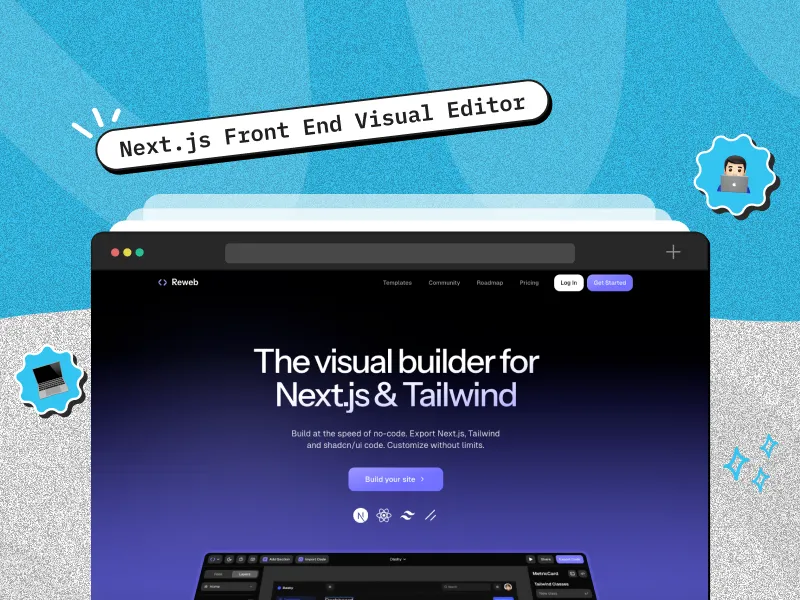
Reweb is an AI-assisted visual UI builder that helps developers generate, edit, explore, and export interface designs. It became known for visual workflows around Next.js, Tailwind CSS, and component-based frontend development. Today, Reweb’s positioning is broader, with AI design generation plus code and Figma export. For Next.js teams, its practical value is faster UI iteration without treating a visual editor as a replacement for production engineering.
TL;DR
- Reweb combines AI-assisted UI generation, visual editing, and code export.
- It is useful for landing pages, dashboards, reusable sections, and early interface exploration.
- Its biggest benefit is iteration speed. Teams can refine layouts visually, then continue in code.
- Exported UI still needs review for architecture, accessibility, performance, data, security, and testing.
- Reweb is a frontend acceleration tool, not a replacement for Next.js, backend services, a CMS, or an engineering workflow.
What Is Reweb?

Reweb is a visual UI design tool that combines AI generation, direct visual editing, and export. Its current website describes the product as a place to generate, edit, and explore designs with AI, then export them to code or Figma.
That matters because Reweb has evolved. Earlier descriptions focused heavily on it as a Next.js and Tailwind visual builder. Today, it is better understood as an AI-assisted interface design environment that can support a code-first frontend workflow.
For a Next.js developer, Reweb can sit before or alongside implementation. Use it to explore a page direction, refine sections, and move the result into your application for production work.
If you are new to the framework, review the official Next.js documentation. A visual tool can accelerate interface creation, but routing, server and client components, caching, data access, and deployment still require framework knowledge.
How Does Reweb Work With Next.js?
A practical Reweb-to-Next.js workflow has five stages.
1. Generate or start a UI direction
Begin with a prompt, example, or rough design direction. The aim is to establish page structure, hierarchy, spacing, typography, and component ideas quickly.
2. Refine the interface visually
Adjust layout and presentation in the visual editor instead of repeatedly switching between CSS, browser previews, and a code editor. This is where a visual builder can shorten the design feedback loop.
3. Break the page into components
Think in reusable pieces such as navigation, hero sections, feature grids, cards, forms, pricing sections, FAQs, and calls to action. This maps better to React and Next.js than treating the page as one static layout.
4. Export the design
Reweb currently supports code export, and its pricing page lists unlimited code exports across its plans. It also supports Figma export for teams that want further design refinement or handoff.
5. Integrate and harden the result
The exported frontend is the beginning of production implementation, not the end. Add application logic, data fetching, authentication, analytics, metadata, accessibility, testing, error states, and performance work inside the real codebase.
import Hero from "@/components/Hero";

import FeatureGrid from "@/components/FeatureGrid";

export default function HomePage() {

  return (

    <main>

      <Hero />

      <FeatureGrid />

    </main>

  );

}
The key is preserving clear component ownership so exported UI can be reviewed and maintained like the rest of the application.
What Can Developers Build With Reweb?

Reweb is most useful when the problem is primarily visual and component-driven.
Good use cases include landing pages, SaaS marketing pages, dashboard concepts, onboarding screens, pricing pages, profile layouts, reusable card systems, forms, and early MVP interfaces.
It can also help when a developer has a rough product concept but wants to compare several UI directions before committing more engineering time.
For complex web applications, the interface is only one part of the system. Creole Studios’ web application development services cover architecture, integrations, backend logic, AI features, deployment, and ongoing product engineering.
Reweb vs Traditional Next.js Development
| Area | Reweb-assisted workflow | Traditional code-first workflow |
| UI exploration | Faster for visual experimentation | Requires coding each variation |
| Visual adjustments | Direct manipulation can reduce iteration time | Changes happen in code and browser preview |
| Code ownership | Export lets developers continue in code | Full control from the first line |
| Application logic | Requires engineering after export | Built directly into the application |
| Design systems | Needs careful alignment and review | Easier to enforce from existing components |
| Backend and data | Not the visual editor’s core purpose | Implemented through application architecture |
| Production readiness | Requires review and hardening | Also requires testing and optimization |
The choice is not visual builder versus real development. The useful question is where visual generation saves time without weakening maintainability.
What Are the Main Benefits of Reweb?
Faster interface iteration
Visual editing can shorten feedback loops for layout, spacing, hierarchy, and responsive concepts, especially when multiple variations need review.
A bridge between AI generation and manual coding
Prompt-based generation is fast, but small visual changes can require repeated prompting. A visual editor provides another way to refine the interface before returning to code.
Easier experimentation
Developers can explore interface directions without building every variation from scratch. This can help during product discovery, MVP scoping, and design spikes.
Code remains part of the workflow
Reweb emphasizes code export rather than keeping the interface inside a purely hosted no-code environment. That makes it more useful for teams that want to own and maintain their application code.
Fits utility-class styling workflows
Tailwind’s utility-class approach maps visual decisions such as spacing, breakpoints, states, and layout to explicit classes. See the Tailwind CSS documentation for the current approach.
What Are Reweb’s Limitations?
A visual builder can accelerate frontend work, but it does not solve the full application problem.
Generated or exported UI may not match your existing component architecture, tokens, naming conventions, accessibility requirements, or testing standards.
A visually complete page can also be incomplete as software. Authentication, authorization, forms, APIs, server-side data access, loading states, error handling, observability, security, and analytics still require implementation.
Review responsive behavior and accessibility before release. Check semantic HTML, keyboard navigation, focus states, labels, contrast, headings, and screen-reader output.
Also review Next.js-specific boundaries. Components that need browser APIs or interactive state may need to run on the client, while other work can remain on the server.
Finally, do not let a visual builder bypass your design system. One-off spacing, colors, or component patterns can turn a short-term speed gain into long-term maintenance work.
How Should Teams Use Reweb in Production?
Practical engineering note
Treat Reweb output like code from any generator or external contributor: useful input that still goes through your engineering standards.
Create a feature branch. Review component boundaries and remove duplicated markup. Map colors, typography, spacing, and radii to your design tokens. Verify responsive states. Test keyboard and screen-reader behavior. Replace placeholder content and assets. Then add data sources, analytics, error handling, and automated tests.
For Next.js projects, also review metadata, images, fonts, server and client component boundaries, route structure, caching, and bundle impact.
This gives you the speed of visual generation without making generated code an exception to your normal review process.
Example: From Reweb UI to a Production Next.js Page
Suppose you need a SaaS landing page with a hero, benefits, social proof, pricing, FAQs, and a signup call to action.
Start by generating or assembling the interface in Reweb and refine the hierarchy and responsive layout. Export it once the visual direction is stable.
Next, move the sections into your Next.js component structure. Connect the signup CTA to the real route or form handler. Replace placeholder testimonials. Add metadata and structured data where appropriate. Optimize images and fonts. Test mobile layouts, keyboard navigation, and slower network conditions.
If the page depends on dynamic content, connect it to your CMS or API rather than hardcoding final content into generated components.
This is where a visual builder hands responsibility back to the application architecture.
When Should You Use a Next.js Visual Builder?
Use Reweb when visual iteration is the bottleneck and your team still wants a code-based delivery workflow.
It is a strong fit for prototypes, marketing interfaces, dashboard concepts, MVP UI exploration, design alternatives, and reusable frontend sections.
Prefer a conventional code-first workflow when the feature is dominated by application state, complex business rules, permissions, data flows, mature design-system constraints, or highly customized interactions.
In many projects, the best answer is hybrid: generate and refine the interface visually, then integrate it into a governed Next.js codebase.
Production example from Creole Studios
Creole Studios’ AI Healthcare Assistant case study used React, Next.js, TypeScript, and Tailwind CSS for a production healthcare platform that also required secure data handling, AI integrations, dashboards, and workflow logic.
That project is not presented as a Reweb implementation. It demonstrates the key distinction: visual tools can accelerate interface work, while production applications still depend on architecture, security, integrations, testing, and operational engineering.
Is Reweb Worth Using for Next.js Development?
Reweb is worth testing if your team spends significant time translating interface ideas into initial frontend structures or repeatedly adjusting layouts during early development.
Its value is highest when it shortens the design-to-code feedback loop while letting developers keep control of the exported result.
It is less useful if your project already has a mature component library and most engineering effort sits in application logic rather than interface creation.
Start with one real page or feature. Measure the time saved, the cleanup required, and how well the output fits your existing component and design standards. That small test is more useful than adopting a visual builder across an entire codebase immediately.
Conclusion
Reweb is most useful when you want the speed of AI-assisted visual design without giving up a code-based frontend workflow. For Next.js developers, it can accelerate page exploration, component design, and early UI implementation.
Use it in the right layer. Let Reweb help with interface generation and iteration, then apply the same engineering standards you would use for manually written frontend code.
For larger products where the UI connects to APIs, authentication, data models, AI services, or complex workflows, review Creole Studios’ web application development services to see how frontend work fits into the wider delivery lifecycle.
Frequently Asked Questions
Is Reweb a Next.js visual builder?
Reweb became known for visual workflows around Next.js, Tailwind CSS, and component-based frontend development. Its current product positioning is broader, with AI-assisted UI design and export to code or Figma. Next.js developers can still use it in a visual-to-code workflow.
Can I export Reweb designs to code?
Yes. Reweb’s current pricing page lists unlimited code exports, including on its free plan. Review exported code before integrating it into production.
Is Reweb a no-code website builder?
It has visual and AI-assisted building capabilities, but it should not replace application engineering. Production Next.js projects still require architecture, data handling, accessibility, security, testing, and deployment decisions.
What is the difference between a Next.js visual editor and a code editor?
A visual editor lets you manipulate interface structure and styling through a graphical interface. A code editor provides direct access to application source. Reweb can connect the two by allowing visual exploration followed by code-based implementation.
Can Reweb replace a Next.js developer?
Not for production applications. It can reduce time spent on initial UI creation and visual iteration, but developers still need to integrate, review, test, secure, optimize, and maintain the application.


 10 min read


