

 Lets Talk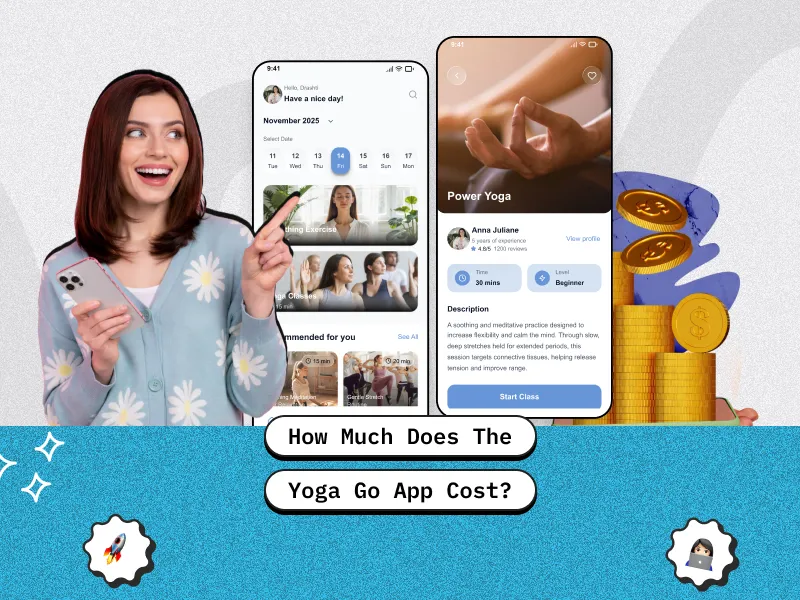
TL;DR
- Yoga-Go is a popular fitness app that offers short, guided yoga workouts designed for beginners and busy users.
- The app typically provides a 3–7 day free trial, allowing users to explore its features before subscribing.
- It includes personalized workout plans, daily yoga sessions, and guided video-based exercises.
- Users can track their fitness progress, completed workouts, and activity consistency within the app.
- Additional features like offline workout access, health app integrations, and basic nutrition guidance help create a more complete fitness experience.
Introduction
Mobile fitness apps have transformed how people manage their health and workout routines. Instead of visiting gyms or attending yoga classes, many users now rely on mobile apps that offer guided workouts, personalized programs, and progress tracking directly from their smartphones.
One such popular platform is Yoga-Go, which provides short, structured yoga workouts designed for busy lifestyles. With personalized plans, guided video sessions, and progress tracking, the app helps users stay consistent with their fitness goals from home.
However, many users want to know how much the Yoga-Go app costs and whether the subscription is worth it. In this guide, we will explore the Yoga-Go pricing structure, key features, and subscription plans, along with the estimated cost of building a yoga app like Yoga-Go for businesses entering the growing digital fitness market.
Yoga-Go App Overview
1) What Is the Yoga-Go App?
Yoga-Go is a mobile fitness application designed to provide personalized yoga and workout programs for users of different fitness levels. The app focuses on short, structured routines that help users improve flexibility, burn calories, and build healthier daily habits.
Unlike traditional yoga apps that require long workout sessions, Yoga-Go emphasizes quick workouts that fit into busy schedules, making it a convenient option for people who prefer exercising at home.
2) Who Is the Yoga-Go App Designed For?
The app is primarily designed for:
- Beginners who want to start yoga without attending physical classes
- Busy professionals who need short daily workout routines
- Users interested in weight loss and flexibility improvement
- People who prefer guided video sessions instead of self-practice
- Individuals who want structured fitness plans and progress tracking
Because of its simplified approach, Yoga-Go is often recommended for people who are new to fitness or returning after a long break.
3) Platforms Available (iOS and Android)
The Yoga-Go app is available on both major mobile platforms:
- iOS (Apple App Store)
- Android (Google Play Store)
This allows users to access their fitness plans from most smartphones and tablets. The app also integrates with some health tracking systems available on these platforms.
How Much Does the Yoga-Go App Cost?
The Yoga-Go app uses a subscription-based pricing model, which means users pay a recurring fee to access premium content and features.
Free Trial
Most users can start with a free trial period, which typically lasts between 3 to 7 days, depending on the promotion available at the time.
The free trial allows users to explore:
- Workout programs
- Yoga video sessions
- Personalized fitness plans
- Basic progress tracking
However, once the trial ends, users must subscribe to continue using the app.
Monthly Subscription Plan
The monthly subscription is usually the most flexible option.
Typical monthly pricing ranges from:
$12 – $20 per month
This plan is ideal for users who want to try the app for a short period without committing to a long-term plan.
However, monthly plans are generally more expensive per month compared to annual subscriptions.
Annual Subscription Plan
The annual plan is typically the most cost-effective option.
Annual subscriptions often range between:
$40 – $70 per year
This significantly reduces the monthly cost and is recommended for users who plan to follow a long-term fitness routine.
Annual plans often include:
- Full access to all workouts
- Personalized training programs
- Advanced progress tracking
- Unlimited video sessions
Key Features Included in the Yoga-Go App
1) Personalized Workout Plans
One of the main features of the app is its customized workout plans.
Users answer a short questionnaire about their:
- Fitness level
- Goals
- Target areas
- Daily time availability
Based on this information, the app generates a personalized yoga program.
2) Short Daily Yoga Sessions
Yoga-Go focuses on quick workouts, often lasting between 7 and 20 minutes.
This makes the app ideal for users who cannot commit to long workout sessions.
3) Progress Tracking
The app tracks user activity and progress over time.
Users can monitor:
- Completed workouts
- Calories burned
- Workout consistency
- Fitness improvements
This helps maintain motivation and accountability.
4) On-Demand Video Library
Yoga-Go offers a large library of guided yoga and workout videos.
These videos include:
- Beginner yoga sessions
- Stretching routines
- Weight-loss workouts
- Flexibility training
Each video is designed to guide users step-by-step.
5) Offline Mode
Some content can be downloaded for offline access, allowing users to exercise without an internet connection.
This feature is particularly useful when traveling or working out in areas with poor connectivity.
6) Integration With Health Apps
The app can integrate with various health tracking platforms available on smartphones.
This helps users sync:
- Activity data
- Fitness progress
- Health metrics
7) Diet and Nutrition Guidance
Many Yoga-Go plans also include basic nutrition guidance to support weight loss and healthy lifestyle goals.
This may include:
- Meal recommendations
- Healthy eating tips
- Diet plans aligned with workout routines
Read More: How Much Does a Future Fitness App Cost in the USA?
Is the Yoga-Go App Worth the Cost?
Before subscribing, many users want to know whether the app provides enough value.
Pros of the Yoga-Go App
Some advantages include:
- Beginner-friendly workouts
- Short and convenient sessions
- Personalized workout plans
- Affordable annual subscription plans
- Large video library of guided exercises
The app is especially helpful for people who want structured home workouts without attending a gym.
Cons to Consider
However, there are also a few limitations:
- Some advanced workouts may require premium plans
- Pricing and promotions can vary depending on region
- Users must remember to cancel the trial if they do not want automatic billing
Despite these limitations, many users find the app useful for maintaining a consistent daily fitness routine.
Factors That Affect Yoga App Development Cost
Before estimating the cost of building a yoga app, it’s important to understand the complete mobile app development process, including planning, design, development, testing, and deployment stages.
Features and Functionality
The number and complexity of features significantly affect the budget.
Examples include:
- Video streaming capabilities
- Personalized workout algorithms
- Progress tracking systems
- Nutrition planning modules
More advanced features increase development complexity.
Platform Choice (iOS, Android, or Both)
Developing for one platform costs less than building apps for both.
Many startups launch with one platform first, then expand later.
UI/UX Design Complexity
Fitness apps require clean and engaging interfaces to keep users motivated.
Custom animations, high-quality design, and interactive dashboards increase design costs.
Development Team and Location
Development costs vary based on team location.
For example:
- North America: higher rates
- Europe: moderate rates
- Asia: more cost-effective options
Backend Infrastructure and Video Streaming
Yoga apps often require:
- Video hosting
- Cloud storage
- User data management
- Workout recommendation engines
These backend systems increase the total cost.
App Maintenance and Updates
After launch, ongoing maintenance is required for:
- Bug fixes
- Feature updates
- Security improvements
- Server costs
Maintenance typically costs 15–20% of the initial development budget annually.
Total Cost Breakdown for Yoga App Development
Building a yoga app similar to Yoga-Go involves multiple development stages, each contributing to the overall project cost. The final budget depends on factors such as feature complexity, supported platforms (iOS or Android), video streaming capabilities, UI/UX design quality, and the experience of the development team.
Fitness apps like Yoga-Go typically include features such as personalized workout plans, video-based sessions, progress tracking, and subscription systems. As a result, development requires several technical components, including frontend interfaces, backend infrastructure, and secure payment integration.
The table below provides a typical cost breakdown for developing a yoga app.
| Development Stage | What It Includes | Estimated Cost |
| UI/UX Design | User onboarding flow, workout dashboards, navigation structure, wireframes, and visual interface design that ensures a smooth and engaging user experience. | $5,000 – $15,000 |
| Frontend Development | Building the user-facing part of the app, including login/signup, workout program screens, video player interface, subscription pages, and progress tracking dashboards. | $10,000 – $40,000 |
| Backend Development | Server-side logic, database management, APIs, user account systems, workout content management, and subscription handling. | $10,000 – $50,000 |
| Video Integration & Streaming | Video hosting infrastructure, streaming optimization, content delivery networks (CDNs), playback controls, and offline video access for workouts. | $5,000 – $20,000 |
| Testing & Quality Assurance | Functional testing, performance testing, bug fixing, device compatibility testing, and ensuring the app works smoothly across different devices and operating systems. | $5,000 – $10,000 |
Estimated Total Cost
| Project Type | Estimated Cost |
| Basic Yoga App (MVP) | $30,000 – $60,000 |
| Mid-Level Yoga App | $60,000 – $100,000 |
| Advanced Yoga App (like Yoga-Go) | $100,000 – $150,000+ |
The final cost can vary depending on several factors such as the number of features, platform selection, integration requirements, and the development team’s location. Many startups begin with a Minimum Viable Product (MVP) to validate the idea before investing in advanced features like AI-based workout recommendations, wearable integrations, and live streaming yoga classes.
If you are planning to build a similar fitness platform, you can also use a software development cost calculator to estimate the approximate budget based on your app features, development scope, and platform requirements.
Estimate Your Yoga App Development Cost
Planning to build a yoga or fitness app like Yoga-Go? Use our free software development cost calculator tool to get a quick ballpark estimate based on your project requirements.

Want to Build an App Like Yoga-Go?
The demand for fitness and wellness applications continues to grow rapidly. As more people prefer exercising at home, mobile fitness platforms have become a lucrative opportunity for startups and businesses.
Developing a feature-rich fitness platform requires the right technical expertise and product strategy. Partnering with an experienced mobile app development company can help businesses design scalable fitness apps with advanced features like video streaming, personalized workout plans, and seamless user experiences.
Apps like Yoga-Go demonstrate how combining personalized workouts, video content, and simple user interfaces can create a highly engaging product.
Businesses entering this market can create unique apps by adding features such as:
- AI-based workout recommendations
- Live yoga sessions with trainers
- Wearable device integrations
- Community fitness challenges
How to Reduce Yoga App Development Costs
Start With an MVP
Launching a Minimum Viable Product (MVP) allows startups to release the core features first and gather user feedback before investing in advanced functionality.
Focus on Core Features First
Instead of building everything at once, prioritize essential features such as:
- User onboarding
- Workout videos
- Progress tracking
- Subscription system
Additional features can be added later.
Launch With One Platform Initially
Launching on either iOS or Android first helps reduce development costs.
After validating the product, companies can expand to other platforms.
Conclusion
The Yoga-Go app is a convenient option for people looking for short, guided yoga workouts that can be done at home. With personalized workout plans, progress tracking, and a large library of video sessions, the app helps users stay consistent with their fitness routines even with busy schedules.
Its beginner-friendly approach and structured workout programs make it especially useful for users who want simple and flexible fitness guidance without attending in-person classes. Overall, Yoga-Go provides a practical way for individuals to improve flexibility, build healthy habits, and maintain an active lifestyle through mobile fitness training.
Frequently Asked Questions (FAQs)
1) Is the Yoga-Go app worth it?
Yes, the Yoga-Go app can be worth it for beginners who want short, guided home workouts and personalized yoga plans. It offers structured routines and a large workout library that helps users stay consistent with their fitness goals.
2) Which is the best free yoga app?
One popular free yoga app is Daily Yoga, which offers guided classes, beginner programs, and yoga challenges with a strong rating on mobile platforms. It’s often recommended for both beginners and advanced users.
3) Is the Yoga-Go app free?
Yoga-Go is not completely free. You can download it at no cost and sometimes access a free trial, but full access to workouts and features requires a paid subscription.
4) Is Yoga-Go easy to cancel?
Yes, Yoga-Go subscriptions can usually be canceled through the app’s subscription settings or the App Store/Google Play account before the next billing cycle.
5) How much does the Yoga-Go app cost?
The Yoga-Go app usually offers subscription plans ranging from $12–$20 per month, while annual plans may cost $40–$70 per year, depending on promotions and region.
6) Is the Yoga-Go app worth the price?
For beginners and users looking for short daily workouts, Yoga-Go can provide good value due to its personalized fitness plans and guided video sessions.








 30 mins free Consulting
 12 min read

 Singapore
 USA
USA 
 Finland





 Love we get from the world