
 Lets Talk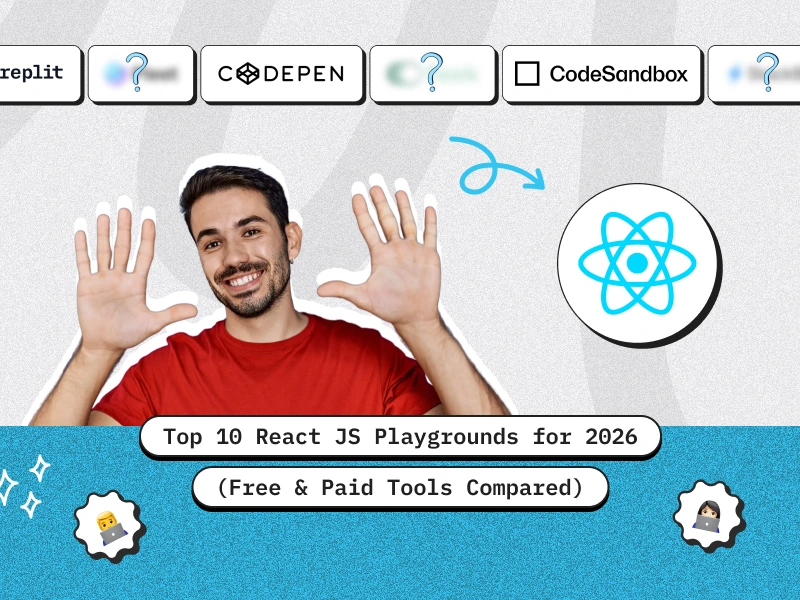
TL;DR
- React developers in 2026 can choose from advanced playgrounds like CodeSandbox, StackBlitz, Replit, and Codespaces for instant coding and collaboration.
- CodePen and PlayCode are best for quick UI demos, while StackBlitz and CodeSandbox offer the fastest and most scalable environments.
- Replit, GitHub Codespaces, and JetBrains Fleet cater to professional teams needing real-time collaboration and cloud IDE features.
- Playgrounds now support live previews, npm packages, deployments, and AI-assisted coding for faster development.
- Choosing the best tool depends on your needs: beginners prefer PlayCode, pros rely on Codespaces or Fleet, and most developers land on CodeSandbox or StackBlitz.
Introduction
React JS continues to dominate the modern web development landscape, powering everything from lightweight prototypes to complex, production-ready applications. For developers, product teams, and startups, choosing the right React playground can make a significant difference in how quickly ideas move from concept to code. Today, cloud-based editors and instant development environments offer everything a developer needs: zero setup, live previews, built-in package management, and even AI-assisted coding.
Whether you are experimenting with UI components, building a new MVP, or collaborating with your team, these tools help streamline the entire workflow. And as React development becomes more advanced, many companies also depend on expert engineering partners to scale their applications efficiently. If you are looking for professional support or want to build a production-ready React application, you can explore this React JS development company to understand how expert teams accelerate delivery and improve code quality.
In this blog, we compare the top 10 React JS playgrounds for 2026, covering their features, pricing, use cases, and which tool might be the best fit for your needs.
Build React Apps Faster
Need expert engineers who can help you move from playground prototypes to production-ready applications?

What is React JS Playground
How to Use and Implement React Playgrounds
Using a React playground is generally straightforward:
- Choose a Playground → Pick from platforms like CodeSandbox, StackBlitz, or Replit.
- Start a New Project → Most playgrounds let you select a React template with a click.
- Code in Browser → Write React components directly without local setup.
- Install Dependencies → Use built-in package managers (npm, yarn, or pnpm).
- Preview in Real-Time → Live reload lets you instantly see changes.
- Share or Deploy → Share project links with teammates or deploy directly to hosting providers.
For advanced needs, premium playgrounds integrate GitHub repositories, CI/CD workflows, and team collaboration features—making them viable even for large-scale projects.
Top 10 React JS Playgrounds for 2026
1. CodeSandbox (Free & Paid)
- Best for: Rapid prototyping, sharing projects
- Features:
- React, Vue, Angular, and Node.js support
- GitHub integration
- Deploy directly to Vercel or Netlify
- AI-powered code suggestions
- React, Vue, Angular, and Node.js support
- Pricing: Free plan + Paid plans starting from $9/month
- Why use it? It’s the go-to React playground with one-click setup and collaboration.
2. StackBlitz (Free & Paid)
- Best for: Instant, browser-based dev environments
- Features:
- Runs projects entirely in the browser using WebContainers
- Offline support
- GitHub import/export
- Built-in Next.js and Vite templates
- Runs projects entirely in the browser using WebContainers
- Pricing: Free plan + Paid plans starting from $7/month
- Why use it? Extremely fast, reliable, and ideal for modern frameworks like Next.js.
3. CodePen (Free & Paid)
- Best for: UI components and front-end demos
- Features:
- Great for testing small React snippets
- Embed pens into blogs or docs
- Live collaboration (Pro)
- Great for testing small React snippets
- Pricing: Free plan + Pro ($8/month)
- Why use it? Perfect for creating and sharing interactive React components.
4. Replit (Free & Paid)
- Best for: Team collaboration and full-stack projects
- Features:
- Real-time collaboration (like Google Docs for code)
- AI coding assistant
- Built-in hosting and database support
- React + Express support out of the box
- Real-time collaboration (like Google Docs for code)
- Pricing: Free plan + Teams for Education & Business ($15+/month)
- Why use it? Excellent for educators, teams, and collaborative coding.
5. GitHub Codespaces (Paid, Limited Free Hours)
- Best for: Professional GitHub users and enterprises
- Features:
- Cloud-powered VS Code environment
- Full React project with backend support
- Works directly from GitHub repositories
- Cloud-powered VS Code environment
- Pricing: 60 free hours/month, then pay-as-you-go
- Why use it? Seamless for developers already using GitHub heavily.
6. Glitch (Free & Paid)
- Best for: Quick experiments and social sharing
- Features:
- Simple React setup
- Collaborative editing
- Community project remixing
- Simple React setup
- Pricing: Free plan + Pro at $10/month
- Why use it? Great for beginners and fast demos.
7. PlayCode (Free & Paid)
- Best for: Beginners learning React basics
- Features:
- Simple UI
- Supports ES6 and JSX
- No setup required
- Simple UI
- Pricing: Free + Pro version starting from $4/month
- Why use it? Lightweight, fast, and easy for quick learning.
8. JSFiddle (Free)
- Best for: Tiny React snippets
- Features:
- Basic HTML/CSS/JS playground
- React support with manual setup
- Basic HTML/CSS/JS playground
- Pricing: Completely free
- Why use it? Old but reliable for very small demos.
9. Fleek Playground (Free & Paid)
- Best for: Web3 and decentralized React apps
- Features:
- Build React dApps directly in the browser
- IPFS & blockchain integration
- Build React dApps directly in the browser
- Pricing: Free tier + paid for advanced features
- Why use it? Best for React developers experimenting with Web3.
10. JetBrains Fleet Cloud IDE (Paid)
- Best for: Professional developers
- Features:
- Full-featured IDE in the cloud
- React, Node, backend, and Docker support
- Collaboration tools
- Full-featured IDE in the cloud
- Pricing: Paid only, starts around $14.90/month
- Why use it? A premium solution for teams needing enterprise-level features.
Which is the Best Playground in 2026?
- For Beginners: PlayCode or CodePen
- For UI Demos: CodePen
- For Prototyping & Sharing: CodeSandbox
- For Professional Teams: GitHub Codespaces or JetBrains Fleet
- For Collaboration: Replit
- For Web3 Developers: Fleek Playground
- For Speed & Reliability: StackBlitz
Overall, CodeSandbox and StackBlitz remain the most balanced choices for React developers in 2026.
Benefits of Using React Playgrounds
- Zero Setup → Start coding instantly
- Live Preview → See changes in real-time
- Collaboration → Pair-programming and teamwork made easy
- Accessibility → Works on any device with a browser
- Package Management → Install npm/yarn packages easily
- Deployment Ready → Deploy projects directly to hosting providers
- Learning-Friendly → Great for students, teachers, and quick demos
Use Cases
- Prototyping → Quickly test UI/UX ideas before production.
- Learning → Beginners can practice React without local setup.
- Teaching → Instructors use them to share live examples with students.
- Team Collaboration → Multiple devs can edit the same project.
- Showcasing → Share UI snippets in portfolios or blogs.
- Web3 Development → Tools like Fleek allow experimenting with blockchain-based apps.
- Enterprise Development → GitHub Codespaces and Fleet integrate with corporate workflows.
Get React Architecture Guidance
Not sure which stack or environment suits your next project? Our experts can guide you.
Conclusion
React playgrounds have grown far beyond simple snippet editors and are now full-fledged cloud-based IDEs that support modern workflows, collaboration, and rapid experimentation. In 2026, developers can choose from a wide spectrum of free and paid tools depending on what they need.
If you want simplicity and quick UI demos, CodePen and PlayCode are excellent choices.
If speed, reliability, and instant environments matter most, StackBlitz and CodeSandbox stand out.
For team workflows or enterprise projects, Replit, GitHub Codespaces, and JetBrains Fleet offer advanced capabilities that support larger codebases and real-time collaboration.
Ultimately, the right playground depends on your project size, collaboration style, and budget. And if you ever need expert engineering support to build production-ready applications beyond playgrounds, consider exploring this option to hire ReactJS developers who can help you scale efficiently.
Book a 30 minute free consultation to explore how we can support your next React project.
FAQs
1. What is the best free React playground in 2026?
CodeSandbox and StackBlitz are the top free choices with modern features.
2. Can I deploy React apps directly from playgrounds?
Yes, platforms like CodeSandbox, StackBlitz, and Replit allow one-click deployments.
3. Do paid playgrounds offer significant advantages?
Yes, especially for teams—paid versions include advanced collaboration, private projects, and AI features.
4. Are playgrounds good for production-level apps?
For prototyping and testing, yes. For full-scale production, use them with GitHub integration and CI/CD workflows.
5. Which playground works best with Next.js?
StackBlitz, since it supports Next.js templates and WebContainers natively.
6. Can I use these playgrounds offline?
StackBlitz supports offline mode, while most others are cloud-only.


 10 min read


